Showing posts with label cg. Show all posts

Tuesday, April 14, 2015

More CRT Shaders

There have been a number of new CRT shaders written since I last did a big roundup, and some people have asked about it, so here we go! All Cg-format shaders are available in libretro's common-shaders repo on github, while all Quark shaders are available in my github repo. All shots were taken at 4x scale factor, and the closeups are scaled up 400% with nearest-neighbor. Click the thumbnails to embiggen:

CRT-Geom

I've already written about this one at length, but I figured I'd include it here anyway for reference and comparison. It's the original awesome CRT shader written by cgwg with some help from Themaister and DOLLS[!], and it's still a good choice. It has extensive customization available via code modification and/or RetroArch's runtime shader parameters.
 Many users don't care for the curvature effect and turn it off, like this:
This shader is available in Cg and Quark formats.

CRT-Easymode

This one was written by a fellow from the NeoGAF forums who goes by the name Easymode. It is notable for looking nice even at non-integer scale factors and for being very lightweight considering how nice it looks. It's a good one to try on mobile platforms and desktops/laptops with weaker GPUs. It also has some nice runtime parameters for switching between cgwg-style and Lottes-style mask effects.
This shader is available in Cg format only.

CRT-Hyllian

This one is written by Hyllian, who is well-known for his popular upscaling interpolation algorithm known as xBR. It includes some interesting options, such as a "blue boost" that is helpful for making water in many games go from purple to blue.
This shader is available in Cg format only.

CRT-Lottes

This one was written by Timothy Lottes, an engineer at Nvidia who is known for his work creating the FXAA fullscreen antialiasing GPU algorithm. This shader is adapted from the shadertoy he made and was generous enough to release into the public domain. Notably, it uses a sideways shadow mask effect that is designed to avoid chromatic aberration.
 It's easy to flatten this one out, as well, using RetroArch's runtime parameters to set the warpX/warpY values to zero or by commenting line 142 in the Quark shader:
This shader is available in Cg and Quark formats.

PhosphorLUT

This is one I worked on awhile back and it only focuses on doing a phosphor/shadow mask using an external lookup texture (LUT) and a little bit of horizontal blurring.
You can adjust the scale of the phosphor mask with 1.0 looking more like a high-res CRT monitor, while 1.5 and 2.0 look more like an SDTV or CGA monitor. As you adjust the scale, the colors can get wonky, so there are runtime parameters for dialing in the right balance. Here it is at a scale of 1.5:
 There's also a preset for use with 4K displays (not pictured here). This shader is available in Cg and Quark formats.

GTU

I've raved about this shader--which was written by aliaspider--before for its ability to blur out dithering, but it also belongs on any list of good CRT shaders. While it doesn't provide any phosphor/shadow mask effects, it does allow horizontal/vertical bandwidth control (for blending things like pseudo transparency and dithering), scanline effects and NTSC color blending/bleeding.
All of these effects are user-customizeable by editing the code (he put the various options right at the tops of the files for easy access) and, with the NTSC color option disabled, it looks remarkably close to the output of Micomsoft's famed XRGB-Mini Framemeister deinterlacing/upscaling device.

This shader is available in Cg and Quark formats.

CRT-Royale

This shader was written by a guy named TroggleMonkey and it uses some intense, RetroArch-specific black magic to overcome many of the issues with CRT emulation that I thought were unavoidable, particularly using large-scale blurring passes without totally wrecking performance and making a true RGB phosphor / shadow mask that looks good at less than 4K resolution. As I said, it is Cg-only and only works on RetroArch, at that (i.e., no OpenEmu, even though it supports Cg in general).
CRT-Royale has an option (on by default and in these shots) for simulating the characteristic glow of a CRT tube. This is another common goal of CRT shaders, and I've broken those off into their own group:

Glow/Halation

Glow

Written by Themaister, this one eschews phosphor/shadow mask effects and just focuses on using special blurs to accentuate the variable beam width of a CRT (i.e., brighter pixels bleed further into the space between scanlines).
 He also made a variant that tacks on his NTSC-composite shader (looks better in motion):
This shader is available in Cg format only.

CRT-Hyllian-Glow

Just like regular CRT-Hyllian, but with some whole-screen blur/glow.
This shader is available in Cg format only.

CRT-Lottes-Halation

Mr. Lottes made a revision to his scanline shadertoy that added a number of gaussian blur kernels to bloom out bright pixels, which increases the overall brightness of the image without getting the fullscreen haze of some of the other options.
Unfortunately, the limitations of the shadertoy format forced the blurs into a single pass, which is extremely slow. This variant is available in Cg format only.

For anyone who's curious, I took 4K screenshots of most of these, but blogspot down-rezzes them and adds jpeg compression on top of that, so I couldn't post those directly. Instead, here is a download.

Thursday, April 10, 2014

Interlacing Shader for CRTs

In the comments of my TVs and Retro Gaming post, GPDP and Monroe88 mentioned the need for a shader that would take a 480p signal from an emulator and either add 100% black scanlines on "240p" content or blank alternating fields each frame. In other words, they needed a shader that would interlace the default progressive signal, which would allow them to run their displays at 480p for all retro console emulation instead of having to switch back and forth between 320x240 (most games for NES, SNES, Genesis/Mega Drive etc.) and 640x480 (for games that utilized the added lines of resolution that interlacing provided, such as 2-player mode in Sonic 2, SNES' R.P.M. Racing, and tons of PSX games).

So, here's the shader in RetroArch-compatible Cg format:
/* COMPATIBILITY
- HLSL compilers
- Cg compilers
*/
/*
Interlacing
Author: hunterk
License: Public domain
*/
struct input
{
float2 video_size;
float2 texture_size;
float2 output_size;
float frame_count;
float frame_direction;
float frame_rotation;
sampler2D texture : TEXUNIT0;
};
void main_vertex
(
float4 position : POSITION,
out float4 oPosition : POSITION,
uniform float4x4 modelViewProj,
float4 color : COLOR,
out float4 oColor : COLOR,
float2 texCoord : TEXCOORD,
out float2 oTexCoord : TEXCOORD,
uniform input IN
)
{
oPosition = mul(modelViewProj, position);
oColor = color;
oTexCoord = texCoord;
}
float4 main_fragment (in float2 texCoord : TEXCOORD, uniform input IN) : COLOR
{
float4 res = tex2D(IN.texture, texCoord);
float y = 0.0;
// assume anything with a vertical resolution greater than 400 lines is interlaced
if (IN.video_size.y > 400.0) y = IN.texture_size.y * texCoord.y + IN.frame_count;
else
y = 2.0 * IN.texture_size.y * texCoord.y;
if (fmod(y, 2.0) > 0.99999) return res;
else
return float4(0.0);
}
It has two branching 'if' statements, which is horrible for performance in shaders, but this one is simple enough--and only needs to run at 2x--that it shouldn't matter.

UPDATE: In the comments, Monroe88 mentioned another very useful shader for use with 31 kHz CRT monitors: aliaspider's TVoutTweaks, which lets you add some nice effects, such as composite color correction and horizontal bandwidth (blends things like SNES' pseudo-hires transparency and other dithering effects), which will make the image a little closer to a 15 kHz TV. See Monroe88's comment below for more info and a pic.

Thursday, April 25, 2013

Multipass Shaders - NTSC, Motion Blur and More

It's been a while since I've done one of these posts and, in that time, RetroArch's multipass shader implementation has matured quite a bit, paving the way for a lot of really cool effects that simply can't be done in a single pass. At the time of this writing, higan's multipass shader implementation hasn't been released yet, but many of these shaders should be portable to it (with some substantial effort, at least) when it arrives.

As always, images were captured at 4x scale. Click the thumbnails to embiggen.

First up:
Themaister's NTSC Shader
Themaister wrote a sweet new real-time NTSC Composite shader that mimics a lot of the noise, fringing and crosstalk present in the NTSC composite signal:
This shader is a big deal because blargg's CPU-based NTSC filter was previously the only way to get this effect, which was important in some older games' art design. However, the filter had to be hardcoded to the individual consoles' specific resolution, which made it a headache to maintain in a multi-console setting. This shader should work on all of RetroArch's cores, and it is available in GLSL and Cg/cgp flavors.

I mixed it with cgwg's CRT shader and ended up with this (ntsc2-crt.shader):
You can compare that with an earlier version I cobbled together from the old NTSC shader--which tended to be finicky and not everyone liked anyway--and cgwg's CRT (crt-geom-interlaced-flat-ntsc.shader):
Digging through an old thread on byuu's forum, I also found where cgwg had written a similar shader that combined NTSC with CRT in 6 passes with barrel distortion (6-pass-ntsc+crt2.shader):
In the same thread, cgwg had posted this shader, called 'beam-dynamic,' that is essentially the same result as the beam4 shader mentioned in one of my other posts:
Out of all of these variations, I think my favorite is Themaister's NTSC with the addition of scanlines that have been softened with gaussian blur (ntsc2-maister-scanlines.shader):

Harlequin's Gameboy Shader
This shader does for Gameboy emulators what cgwg's CRT does for regular consoles, i.e., recreates the look of the original display with startling verisimilitude:
I'm not going to spend a lot of time talking about this shader here, even though it's completely badassed, since it's covered at length in a previous post. It's available in Cg/cgp format only, though you can use Themaister's handy cg-to-glsl python script to convert it to GLSL if necessary.

Harlequin's LCD Shader
Using some of the same concepts from the Gameboy shader, Harlequin is also working on a more generalized shader that mimics the low-resolution, slow-refreshing color LCD displays from a number of handheld consoles, such as Sega's Game Gear and Nintendo's Gameboy Advance:

Similarly, cgwg posted an LCD shader he's been working on that produces a regular, square pixel grid pattern, paired with some simple motion blur (lcd-cgwg.shader):


Motion Blur
Speaking of motion blur, I wrote a multipass version of this shader a while back and cgwg revised it down to a single pass (refers to previous frames, so still incompatible with higan v092 and earlier). This effect can be good for mimicking the slow response time of crummy LCDs (motion blur.shader):
I also made a version that only adds the blur during rewind, along with a little sepia-tone effect, kinda like the rewind effect in Braid (braid rewind.shader):
This shader can be added before pretty much any other shader (either manually by pasting in the code or by using the new, built-in RGUI shader stacking function and/or glslp shader configuration files) at a scale of 1.0 and the effect will only kick in when the game is rewinding :D

GTU
This shader from aliaspider is an interesting take on the CRT paradigm insofar as he didn't want to focus on phosphor emulation or heavy-handed scanlines or any of that other jazz. He was more interested in the blurring/blending effect of CRTs that enabled tricks like pseudo-hires transparency and color dithering. Later revisions include some sweet gamma correction and the ability to create mild scanlines (if you choose; GTUv031-multipass.shader):
I think this is one of the best ways to get pseudo-hires transparency working properly, and the transparency it creates is smooth and absolutely beautiful:
Aliaspider made a single-pass version of the shader that should work in higan v092 and earlier, along with the multipass version linked above for RetroArch, and a multipass version for higan v093's upcoming shader implementation.

My 4k Phosphor Shader
This is another one that I won't spend much time on, since I cover it at length in another post:
This shader currently doesn't look so hot as it's designed to work at around 10x scale (i.e., on a 4k resolution television or other high-DPI display; it gets wrecked by subpixel behavior at current normal scales [read: 1080p]). However, it brings some nice things to the table, such as easily-edited LUTs that can be created/modified in Photoshop/GIMP rather than a text editor and scale-ability to freaky-huge resolutions. I'll attempt to convert this to byuu's higan v093 format at some point, though it may take some time.

Wednesday, April 24, 2013

Customizing Harlequin's Gameboy Cg Pixel Shader

CRT shaders are great, but they're not always appropriate for every console, seeing as handhelds' tiny LCD screens have very different characteristics, which in turn shaped the way the games for those consoles were designed. The original Gameboy handheld had these characteristics in spades, including a slow response time (manifesting as motion blur), very low resolution and a distinctive 2-color palette that ranged from yellow to green. Emulators typically represent this color palette as black and white, which can be jarring for people who spent a lot of time with the system.

Thankfully, a nice fellow named Harlequin has come to the rescue with a really great pixel shader for RetroArch that does for Gameboy displays what cgwg's CRT shader did for those displays. Like cgwg's CRT shader, Harlequin's Gameboy shader reproduces a lot of different aspects of the Gameboy display and presents a number of options to the user that are easy to modify with just a simple text editor (I use/prefer Notepad++ but almost anything will work). Unlike cgwg's, though, the Gameboy shader also uses some lookup textures (LUT) that require no text editing and can be modified using an image editor such as Photoshop or GIMP. Harlequin has included several example LUTs and I'll cover a few in screenshots.

As usual, all shots are at 4x (which is a bit small for Gameboy resolution, but oh well) and you can click the thumbnails to embiggen. All shots were taken via RetroArch with the Gambatte core unless stated otherwise.

First, here's an unfiltered shot for comparison:
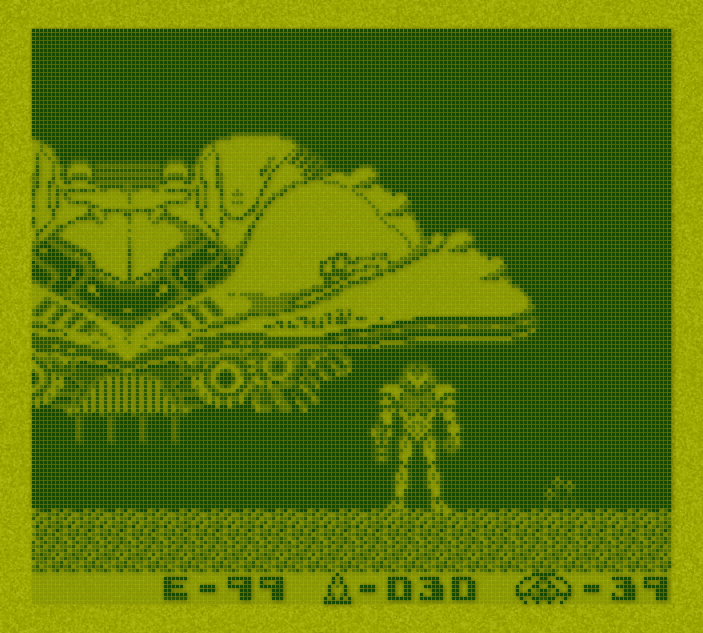
And here's one of Harlequin's Gameboy shader with default parameters:
First, I'll cover the LUTs, which can be edited with an image editor. The palette files are found in the 'resources' folder and they're just two 64x64 squares of color that the shader pulls from to get the appropriate colors (i.e., to replace white and black in the emulator). One of the included samples is yellower and resembles the display in strong light, such as daylight:
Another sample mimics the higher contrast of the Gameboy Pocket revision:
Also in the resources folder, you'll find some sample backgrounds, which apply a texture to the image. The default has some angled hatching, while the included samples show some different types of texture that are possible, like this noisy bit:
Next up, we have the shader variables that are easily modified by users with a simple text editor. These are enumerated in the shader's enclosed README file and I'll include some shots here for reference.

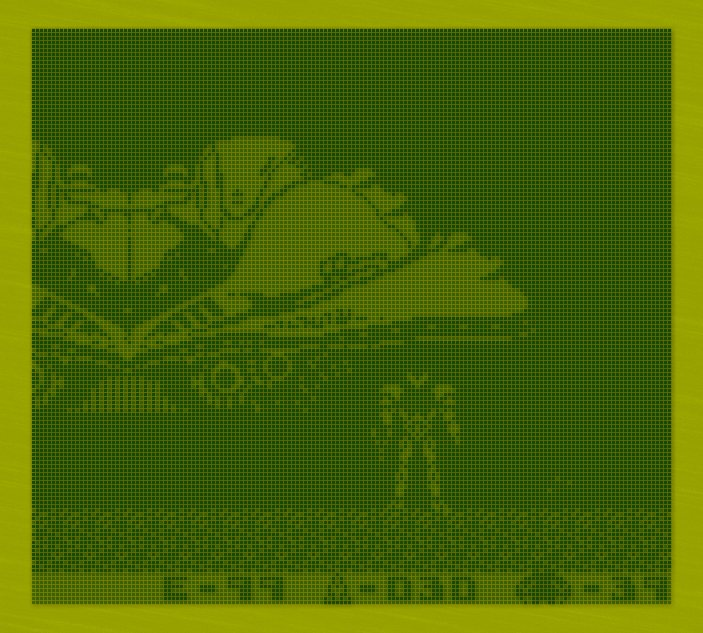
The first one is the 'alpha' setting, which determines how dark a 'white' pixel should be. If you raise the value,  everything becomes darker:
While lowering the value will make the pixel grid less visible in white areas:
The next option, response time, determines how long it takes a pixel to go from white to black and vice versa. It doesn't really translate very well into static screenshots so I didn't bother showing it here. The next option after that, though--blending mode--determines whether just the space between dots is blended (mode 0) or all texels (mode 1), which, in practical terms, is how sharp/blurry the edges of the individual pixels are:
The next option--texel alpha blending--effectively controls how defined the grid pattern is. Higher values result in round/fat-looking pixels:
While lower values give you a sharp, well-defined grid:
After that, we have 'contrast,' which works just like the slider on the side of the Gameboy. Lower values can simulate the look of low batteries:
'Background smoothing' lessens the effect of the background LUT. Higher values make the background less visible, lower values make it more visible:
'Shadow opacity' controls how dark the drop-shadows from the pixels are. Higher values mean darker shadows:
Finally, 'shadow offset' determines which direction the drop-shadows appear (i.e., for simulating a light source that isn't directly above the display). Setting both the X- and Y- values to 2.0 will offset it more:
While setting them both to 0 puts the shadows directly underneath the pixels:
Just so you know: you can use this shader with other RetroArch cores, as well, and see what your favorite games would look like in an alternate, Gameboy-centric universe:

Harlequin has made some major changes to the way the shader looks and works since he first started working on it. While the current iteration is extremely convincing, I also liked an earlier version that looked more stylized. Here's a couple of shots:

You can download it from my Mediafire.

Analytics Tracking Footer