Showing posts with label crt-royale. Show all posts

Monday, April 6, 2026

Some Shaders I've Been Working On

“Whatever you now find weird, ugly, uncomfortable and nasty about a new medium will surely become its signature. CD distortion, the jitteriness of digital video, the crap sound of 8-bit - all of these will be cherished and emulated as soon as they can be avoided. It’s the sound of failure: so much modern art is the sound of things going out of control, of a medium pushing to its limits and breaking apart. ... The excitement of grainy film, of bleached-out black and white, is the excitement of witnessing events too momentous for the medium assigned to record them.” -Brian Eno 

I've been working on some shaders lately. 

The first one I want to talk about was inspired by some posts on the RetroArch/libretro subreddit, where a guy was using overlays (I think? might have just been photoshops) to make some really dark images of Game Boy Color games that mimicked the experience of using their technically awful front-lit LCD screens.

I never owned a GBC, and only played on a GBA very briefly in its day, but the enthusiastic response to those shots was really something, and it highlighted a significant unmet need that I had never really considered before. So, I borrowed a friend's GBA 001 and set to work on it, and here's what I came up with (as always, click to embiggen):

screenshot - presets/authentic-gbc-frontlit.slang
Rather than reinvent several wheels, I'm leaning on fishku's "authentic-gbc" LCD shader, which includes the characteristic little dog-ear on each subpixel, as well as Matt Akins lovely "pixel transparency" shader, which makes the white pixels appear transparent and adds a little drop shadow to them.

My addition darkens the image (adjustable how dark you want the ambient light), desaturates it, and then adds a point light source, the focus of which you can adjust (diffuse, like an overhead light, or more focused like a lamp or even a "worm" light attachment) and move around (by default, it's in the upper-right corner, like an overhead light). Direct light washes out whatever is under it, but indirect light fades off quickly, and some of the colors get inverted in the semi-lit area.

I also added in a "shmutz" effect using a dirty glass texture, which only really shows up when it's directly lit, along with a slight green tint that those old LCDs had under direct illumination.

There's also a "Nighttime Car Mode," which makes a bright light sweep across the screen every few seconds to simulate a car passing under streetlights in the night, which is a situation people seem to have a perverse nostalgia for.

While I was working on my shader, Matt Akins was exploring another idea that had been teased by that same redditor, of showing a rainbow pattern at certain angles due to a quirk of the GBC LCD's internal structure. He added this functionality to his pixel transparency shader, and he also submitted a patch to RetroArch to enable gyro and accelerometer control hooks to the shader backend. I was planning to work on this, too, but I'm thankful that Mr. Akins got to it first because he did a much better job than I would have.

With that in place, I added an option to control the light source using gyro control, which makes for a very uncanny gaming experience, tilting a controller to shine a virtual light source on a virtual crappy screen, but then seeing hints of rainbowing as you tilt it. Fun stuff.

I also made a modification of the 'gbc' console-border preset, which looks pretty nice, but the light source only affects the screen and would have required a lot of invasive changes to work on the border, too, so I didn't think it was worth the trouble. Ultimately, it's not my favorite, but it still works well for people who really want a border.

The other shader I've been working on is a CRT shader. Yes, another one, because there aren't enough already. This one focuses on monochrome displays, which are usually just an afterthought in CRT shaders, and monochrome modes don't usually exhibit any special characteristics vs the color-full settings. This is unfortunate, I think, because monochrome CRTs are cool devices that ruled the land for decades, even after color TVs were commonplace.

First off, monochrome CRTs don't have subpixels or masks. The entire screen surface is coated with a layer of powdered phosphor material that glows when the electron gun scans over it. Having this direct view of the beam makes the dynamic width very visible, and the beam itself has a bit of ... life to it.

I tried to capture that, and, as a result, static screenshots aren't going to look very good or capture the "magic," so I recommend trying the presets live / in person, if you have the inclination. Nevertheless, here's what it looks like:

That's the 'black and white tv' preset, which is intentionally pretty blurry, horizontally. Monochrome computer monitors could be quite sharp, though, and there's an "apple-monitor-ii" preset that handles that better:


In addition to the beam perturbations, this preset also has the scanline brightness cranked up really high, which brings in some general glow visible around the numbers, and it also makes some nice trails anywhere there's movement (courtesy of the 'glow-trails' shaders I made several years ago): 

Both of these presets include my analog service menu shader, which lets you adjust lots of physical CRT parameters, like h- and v-size, pincushioning, etc., as well as a version of crt-royale's geometry control that I isolated just for this. It allows you to tilt the monitor up/down/left/right and control the radius of its curvature, among other tweaks. I picked a really exaggerated, low-radius curvature, since these displays were often very small (sub-15 inches), but I used the pincushion control to flatten the middle out some, just as you would on such a small display.

These presets also leverage blurbusters' and Timothy Lottes' crt-beam-simulator shader whenever shader subframes are enabled, and, in addition to the motion clarity improvements, I think the flicker it introduces provides another level of verisimilitude that I wasn't able to capture properly in still shots.

The monoCRT shader also includes several different monochrome phosphor colors:

Just be sure to use integer scaling with this shader, since the scanlines look like crap otherwise. As usual, it looks better when it has more pixels to work with, and I think 5x scale is a minimum, making integer overscale on the Y axis a great way to experience these on 1080p displays. 

So that's what I've got. The 'frontlit-reflective' shader is available in handhelds/shaders, and monoCRT is available in crt/shaders, if you want to use them in your own presets. Most of the presets I've shown here (authentic-gbc-frontlit, black-and-white-tv, and apple-monitor-ii) are available in the 'presets' directory. Aside from the beam sim effect and the gyro controls, which aren't widely supported outside of RetroArch, these shaders should work fine anywhere you can load slang shaders (e.g., ares, snes9x, OpenEmu, etc.).

Friday, February 28, 2020

CRT shader masks

There are 3 main types of masks used by CRT displays:
Slot Mask staggered grid

slot masks - also known by the brand name "Cromaclear" and/or "in-line shadow mask". These are probably the mask you're most familiar with, as they were used on most consumer televisions. They are characterized by the familiar staggered grid of red, green and blue phosphors.

Aperture Grille wires
aperture grille  - also known by Sony's brand name "Trinitron", this technology was also manufactured by other companies under slightly different names, such as Mitsubish's DiamondTron and ViewSonic's SonicTron. This mask technology is especially popular among retro-gaming crowds as a result of its brightness and vibrancy.


Shadow Mask Triad
shadow mask - the "triad" form of which is most commonly seen in PC monitors. The nomenclature on slot and shadow masks is apparently interchangeable, for the most part, though in retro-gaming, they're usually disambiguated such that "shadow mask" only refers to the triad type and "slot mask" only refers to the rectangular grid type.

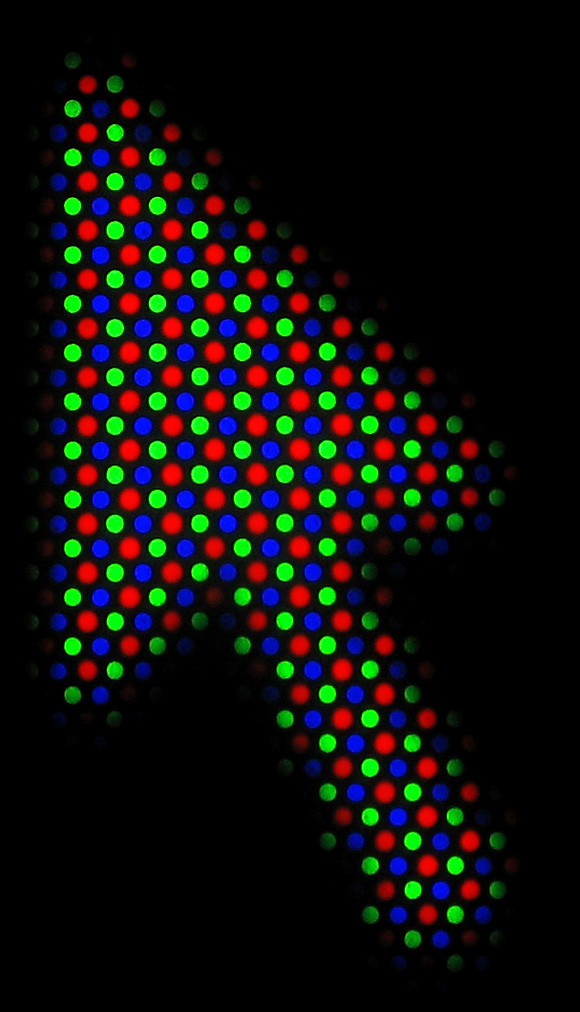
When we attempt to reproduce these masks on modern displays, the simplest solution is to take an image of the phosphor layout, shrink it down and tile it across the image, then combine the game image with the phosphor image in some way (multiplication or screen combine are common). This is a simple and straightforward strategy that works well at very high resolutions, but it can become a real mess at lower resolutions as a result of the physical display's subpixel structure (see the pink and green patterns in CRT-Royale's mask at 1080p).

CRT-Royale's tiled images of phosphor layouts at 1080p


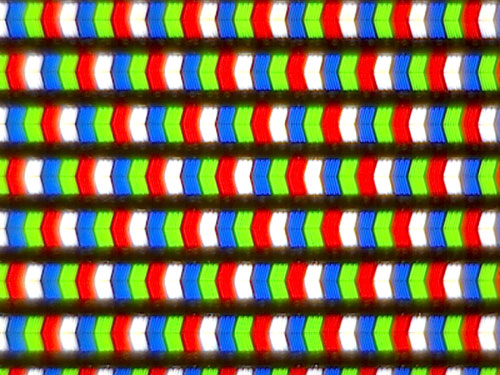
Just like a CRT, LCD monitors display colors by shining light through tiny lenses at various intensities and they combine to form the colors you see. These phosphors are usually much smaller than what you find on a CRT TV, but very fine details can still be distorted by these structures. Very small text is probably the place where we encounter these limitations most often and, back in the late 1990s, companies started trying to improve the situation using subpixel-based rendering techniques under the names ClearType, FreeType, etc. These techniques work with the LCD subpixel structure to give the illusion of higher resolution than the monitor is actually capable of displaying cleanly.

We can use some of these same tricks in our CRT reproduction shaders to produce better mask effects at lower resolutions, without the chromatic aberration caused by averaging together colors at the subpixel level. These patterns rely on the physical pixel structure of the display monitor, so they need to be tiled using gl_FragCoord (or texCoord.st * OutputSize.xy) so the tiling always matches up.

cgwg's crt-geom subpx aperture grille
 The most basic mask that exploits the RGB subpixel structure is a simple alternating green and magenta pattern. When displayed on a normal RGB screen, it makes perfectly evenly spaced lines of red, green and blue, which results in a very passable aperture grille, even at 1080p. This pattern was popularized by cgwg's venerable CRT shader (aka crt-geom).

At 1080p, this looks analogous to a low-TVL Trinitron TV (shader on the left, PVM on the right):
PVM shot from here, perspective-corrected in GIMP
While at 4K, it looks very much like a high-TVL monitor, like a BVM (click to see more details):
 The next simplest pattern is just that same pattern doubled vertically and mirrored horizontally on each successive line, for a green and magenta checkerboard. This results in a pretty decent shadow mask triad pattern that looks pretty legit at 1080p, though it's probably too tight for anything much larger than that. That is, at 4K and higher, it's pretty much invisible unless your nose is right on the screen.


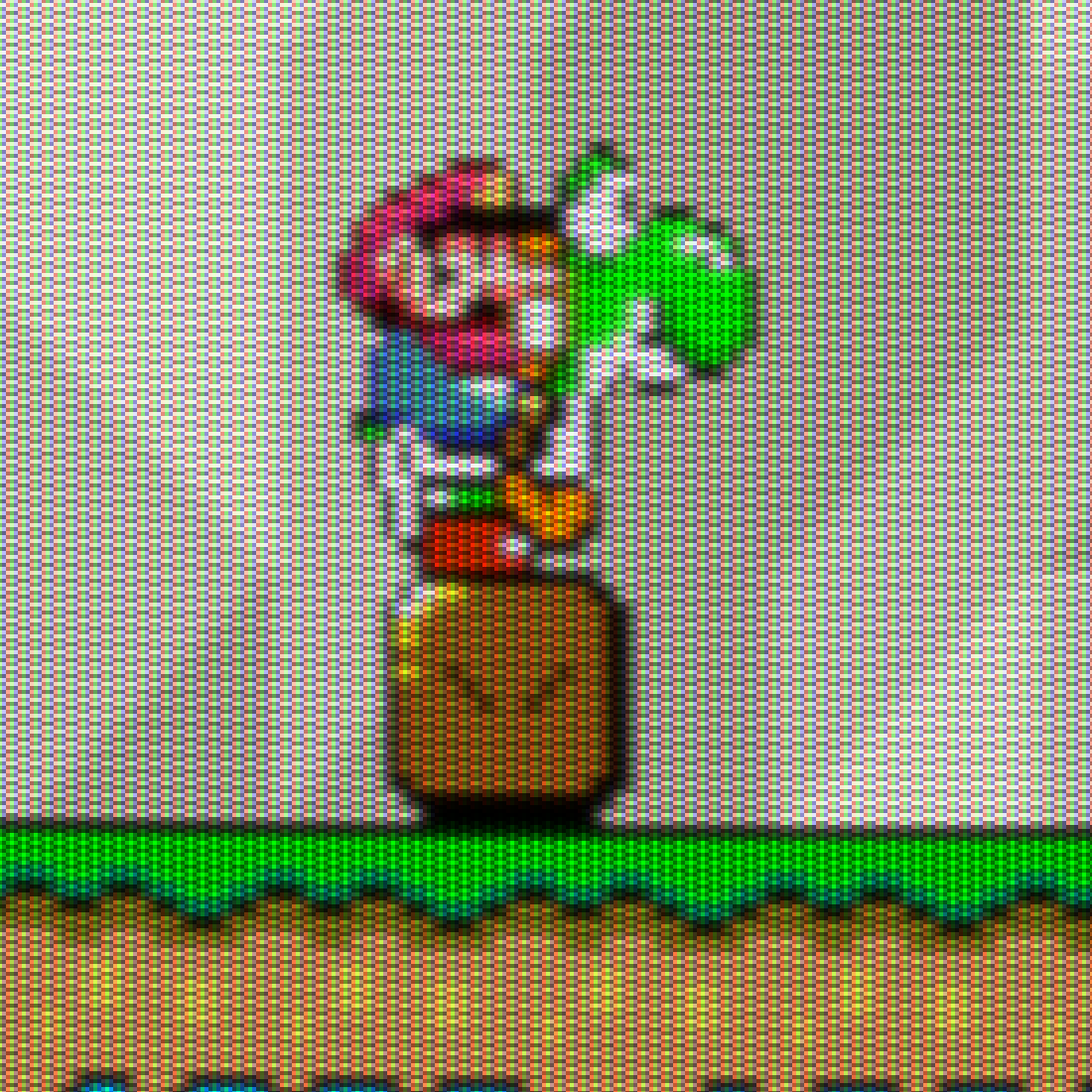
 Here's a detail comparing the subpixel-respecting strategy with a naive tiling approach at 1080p:
 
By extending the pattern and adding in some black pixels, we can get an okay/not great slot mask. As with the previous patterns, the RGB pattern looks good, but since we're limited by the physical pixel size, the black crossbars are unfortunately over-represented, making the image significantly darker than it should be. However, we can compensate for this somewhat just by reducing the strength of the mask effect within the shader.
 At 1080p, the TVL of the simulated display is unrealistically low (like, maybe a really crummy portable TV or something), but at 4K this mask gets more realistic in terms of scale.

At 8K, though, you can start drawing much better, more accurate phoshor patterns while still maintaining a realistically usable TVL, though the tiled patterns start getting pretty weird.

Funky slot mask pattern
The results look good, but it's worth noting that at these resolutions, naive tiling doesn't look too shabby, either, especially with a few feet of distance between the viewer and the monitor.


crt-lottes rotated mask
Another totally different strategy is to flip the phosphor grid 90-degrees to avoid the uneven subpixel spacing altogether. This isn't "accurate" to the way CRT masks actually look, but it sidesteps a lot of the problems caused by trying to reproduce them on modern displays, including problems caused by variations in subpixel layouts (that is, not all LCDs use nice, clean R,G,B arrays; some use RGBW, RGBY or BGR and some, like OLEDs, use a crazy layout that looks totally alien; see here for more: https://geometrian.com/programming/reference/subpixelzoo/index.php). This strategy is used in Timothy Lottes' "FixingPixelArt" shadertoy, on which the crt-lottes shader is based.

Many subpixel-respecting mask patterns can be found in LUT form alongside cgwg's crt-geom-deluxe shader, including some of these and some others I didn't mention (mostly aperture grille variations that work at higher resolutions, like 4K and 8K. You can also find these and others in my subpixel_masks shader snippet, which is designed to be #include-d in other shaders for easy mask-generation and uses an expensive but very informative array-based syntax so the patterns are easier to visualize and understand.

Friday, March 4, 2016

New and Updated Shaders

It's been awhile since I've done any shader posts, so I figured I'd cover some updates that have happened recently. Same format as usual, the only difference this time around is that instead of zooming into screenshots using photoshop, I made them straight from RetroArch using the 'zoom' from my image adjustment shader. This gives sharper, cleaner detail shots. Anyway...

No Shaders (Nearest Neighbor)

Here is a shot with no shaders for comparison.


ScaleFx

Sp00ky Fox had been working on cleaning up artifacts from the Scalenx shaders and, in the process, worked up a similar algorithm of his own, known as ScaleFx. By cranking it up to 9x, he managed to do some pretty impressive smoothing:

Some notable things here: check out the circle-c copyright symbol, which is very hard to deal with in this sort of shader, as well as the straight lines throughout the logo and on the shallow slope below the dragon coin.

He also made a variant, known as scalefx-hybrid-9x, that uses reverse-antialiasing and creates some interesting depth and shading effects:

It does introduce some haloing, though, and is pretty heavy, performance-wise.

xBR-lv2-accuracy-multipass

For the past year or so, Hyllian has been working to improve his now-famous xBR upscaling algorithm, mostly by pairing it with other algorithms and working to improve handling of problematic edge-cases. Very recently, though, he changed the way corners are detected and added a new color diff algorithm, which fixes some weird artifacts that could occur when bright red and bright blue pixels were next to each other (artifacts not pictured):

Here is an older version of the same shader for comparison:

Again, the copyright symbol is a good example of the improvements, along with the circles inside the number 9s. The updated version also works quite well with Playstation-era antialiased images, while ScaleFx works best on bold, cartoony graphics, like Super Mario World and Shantae.

CRT-Lottes Updated

Since we first ported Timothy Lottes' scaling pixel art shadertoy, he did a couple of iterations to add bloom and a few more variations on his awesome shadow mask code. r5 incorporated those updates into our port and threw in some runtime parameters (including the aforementioned mask variations):

This is the default compressed TV-style shadow mask^^.

This is the Trinitron-style aperture grille^^.

This is the stretched VGA-style shadow mask that was used in the original shader^^.

And this is another VGA-style mask with larger phosphors^^.

CRT-Royale-Kurozumi Preset

Shmups user Kurozumi posted some really nice settings for TroggleMonkey's CRT-Royale shader that makes it look very much like a high-res broadcast monitor (e.g., Sony's BVM line or the 800-line PVMs):

I put these settings into a cgp preset, located in the 'cgp' subdirectory of the main common-shaders repo.

Tuesday, April 14, 2015

More CRT Shaders

There have been a number of new CRT shaders written since I last did a big roundup, and some people have asked about it, so here we go! All Cg-format shaders are available in libretro's common-shaders repo on github, while all Quark shaders are available in my github repo. All shots were taken at 4x scale factor, and the closeups are scaled up 400% with nearest-neighbor. Click the thumbnails to embiggen:

CRT-Geom

I've already written about this one at length, but I figured I'd include it here anyway for reference and comparison. It's the original awesome CRT shader written by cgwg with some help from Themaister and DOLLS[!], and it's still a good choice. It has extensive customization available via code modification and/or RetroArch's runtime shader parameters.
 Many users don't care for the curvature effect and turn it off, like this:
This shader is available in Cg and Quark formats.

CRT-Easymode

This one was written by a fellow from the NeoGAF forums who goes by the name Easymode. It is notable for looking nice even at non-integer scale factors and for being very lightweight considering how nice it looks. It's a good one to try on mobile platforms and desktops/laptops with weaker GPUs. It also has some nice runtime parameters for switching between cgwg-style and Lottes-style mask effects.
This shader is available in Cg format only.

CRT-Hyllian

This one is written by Hyllian, who is well-known for his popular upscaling interpolation algorithm known as xBR. It includes some interesting options, such as a "blue boost" that is helpful for making water in many games go from purple to blue.
This shader is available in Cg format only.

CRT-Lottes

This one was written by Timothy Lottes, an engineer at Nvidia who is known for his work creating the FXAA fullscreen antialiasing GPU algorithm. This shader is adapted from the shadertoy he made and was generous enough to release into the public domain. Notably, it uses a sideways shadow mask effect that is designed to avoid chromatic aberration.
 It's easy to flatten this one out, as well, using RetroArch's runtime parameters to set the warpX/warpY values to zero or by commenting line 142 in the Quark shader:
This shader is available in Cg and Quark formats.

PhosphorLUT

This is one I worked on awhile back and it only focuses on doing a phosphor/shadow mask using an external lookup texture (LUT) and a little bit of horizontal blurring.
You can adjust the scale of the phosphor mask with 1.0 looking more like a high-res CRT monitor, while 1.5 and 2.0 look more like an SDTV or CGA monitor. As you adjust the scale, the colors can get wonky, so there are runtime parameters for dialing in the right balance. Here it is at a scale of 1.5:
 There's also a preset for use with 4K displays (not pictured here). This shader is available in Cg and Quark formats.

GTU

I've raved about this shader--which was written by aliaspider--before for its ability to blur out dithering, but it also belongs on any list of good CRT shaders. While it doesn't provide any phosphor/shadow mask effects, it does allow horizontal/vertical bandwidth control (for blending things like pseudo transparency and dithering), scanline effects and NTSC color blending/bleeding.
All of these effects are user-customizeable by editing the code (he put the various options right at the tops of the files for easy access) and, with the NTSC color option disabled, it looks remarkably close to the output of Micomsoft's famed XRGB-Mini Framemeister deinterlacing/upscaling device.

This shader is available in Cg and Quark formats.

CRT-Royale

This shader was written by a guy named TroggleMonkey and it uses some intense, RetroArch-specific black magic to overcome many of the issues with CRT emulation that I thought were unavoidable, particularly using large-scale blurring passes without totally wrecking performance and making a true RGB phosphor / shadow mask that looks good at less than 4K resolution. As I said, it is Cg-only and only works on RetroArch, at that (i.e., no OpenEmu, even though it supports Cg in general).
CRT-Royale has an option (on by default and in these shots) for simulating the characteristic glow of a CRT tube. This is another common goal of CRT shaders, and I've broken those off into their own group:

Glow/Halation

Glow

Written by Themaister, this one eschews phosphor/shadow mask effects and just focuses on using special blurs to accentuate the variable beam width of a CRT (i.e., brighter pixels bleed further into the space between scanlines).
 He also made a variant that tacks on his NTSC-composite shader (looks better in motion):
This shader is available in Cg format only.

CRT-Hyllian-Glow

Just like regular CRT-Hyllian, but with some whole-screen blur/glow.
This shader is available in Cg format only.

CRT-Lottes-Halation

Mr. Lottes made a revision to his scanline shadertoy that added a number of gaussian blur kernels to bloom out bright pixels, which increases the overall brightness of the image without getting the fullscreen haze of some of the other options.
Unfortunately, the limitations of the shadertoy format forced the blurs into a single pass, which is extremely slow. This variant is available in Cg format only.

For anyone who's curious, I took 4K screenshots of most of these, but blogspot down-rezzes them and adds jpeg compression on top of that, so I couldn't post those directly. Instead, here is a download.

Analytics Tracking Footer