Showing posts with label xBR. Show all posts

Friday, May 4, 2018

More New Shaders

This post is a companion piece to yesterday's post, which focused on shaders for low-power devices. This post doesn't have any particular focus but showcases a few recently added shaders.

As always, click the thumbnails to embiggen.

PAL-r57shell

The PAL video standard used throughout Europe typically doesn't get the attention from retro-gaming enthusiasts that NTSC--the standard used in both Japan and the U.S.--enjoys. That is, no games (that I know of) depend on PAL video artifacts for any effects, and as a result, few people have shown interest in reproducing the characteristics of the PAL standard.

One of those few, who goes by the handle r57shell, made a PAL shader a few years back that captured some of the effects, but they recently updated it to make it much more complete and comprehensive. This new version is more comparable to the NTSC simulations by blargg and Themaister in quality and accuracy, and it includes some nice NES-specific options, as well. For example, by uncommenting a line in the shader, it can be used to bypass traditional emulator palettes and generate its own from the raw color and emphasis data (in emulators that expose the 'raw' palette).

By default, it doesn't do that, though, so it can be compatible with non-NES cores:
r57shell also made a preset that puts his shader in front of CRT-Royale to get the full retro effect:

MMJ_Cel

This shader has been available for Pete's OpenGL 2.0 plugin for ages, but its author, MMJuno, recently ported it to RetroArch's shader format(s). The shader applies a cartoony black border on edges and changes smooth gradients to chunky steps. It doesn't look very good on simple 2D content, so I dropped my normal Super Mario World screenshot for this image from Super Mario 64 that can better illustrate the effect:

VHS

This is one I made that combines some shadertoy effects to mimic the look of a crappy VHS recording:
The OSD 'play' message blinks on and off for a few seconds after the game loads and then goes away. The GLSL version of the shader also supports a fun effect whereby using RetroArch's rewind function creates a static-y tracking effect and prints another OSD message while rewinding. Setting the rewind granularity to 2x or 3x really clinches the effect (looks better in motion, of course):

Technicolor

After playing Cuphead, I wanted to try and make something similar, so I used a lossy CMYK conversion paired with film grain, simulated misalignment of the different color layers and vignetting/hotspotting to try and mimic an old-timey projector setup:
It doesn't translate well to still pictures, but it also blips single frames of film noise (scratches and hairs) onscreen pseudo-randomly:

xBRZ-Freescale

I mentioned this already in the low-power shader post, but I feel like it's worth mentioning here, too, because it's kind of a big deal. It's not often you get to say "welp, don't need those shaders anymore," but that's exactly the case here. Due to its superior speed and sharpness at any scale, there's no real reason to use the other xBRZ shaders:
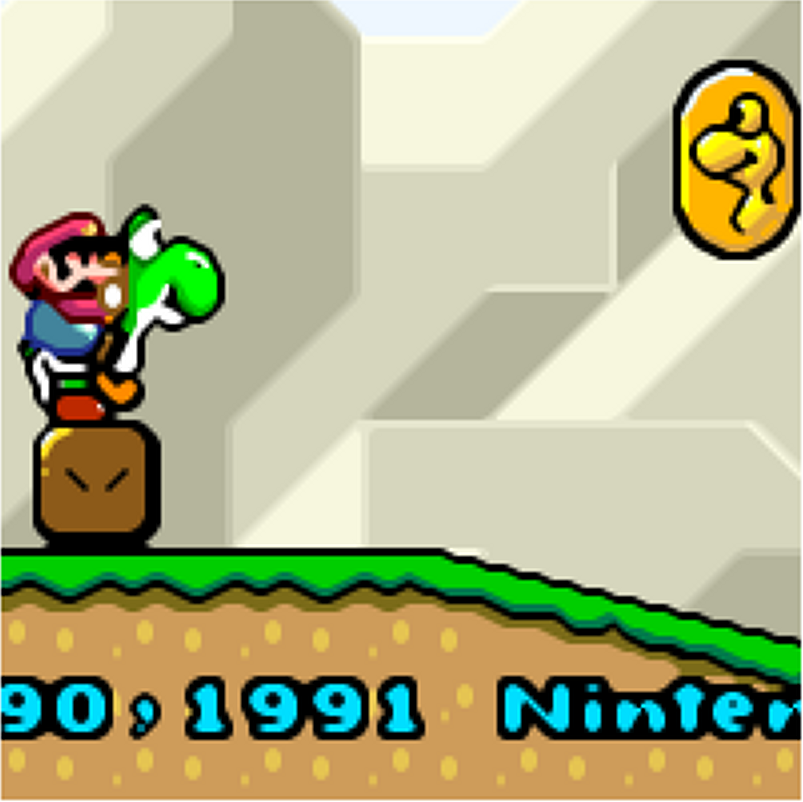
Of course, other xBR permutations, like the various 'super' versions and mlv4-multipass, etc. still have their own characteristics and reasons for use, so don't misunderstand this as obsoleting those, as well. It also doesn't have quite the search range of ScaleFx, so some of the shallow slopes that shader catches (like the one under the dragon coin) are only partially smoothed by this one.

simpletex_LCD

I mentioned this one in my last post, as well, since it's also quite fast, but I wanted to include it here because it's such a pleasant effect:
There are several permutations of this shader that combine that same nice paper texture and light (instead of the more typical dark) grid-lines with Game Boy Color or Game Boy Advance color simulation.

Thursday, May 3, 2018

Shaders for Low-Power Machines

This started out as one big post with a bunch of new and new-ish shaders, but I decided to bust it up and hopefully make this a little more useful and focused. Be sure to check out the next post for some more fun shaders.

While there's no shortage of heavy-weight, gorgeous shaders that will make even a modern gaming GPU howl, a lot of people use older machines, single-chip computers (such as Raspberry Pis) and machines with integrated graphics that simply don't have the grunt to take on those hefty shaders. It can be tedious digging through the hundreds of shaders available to try and find the few that might work on lower-powered GPUs, so I wanted to present a few of those here.

As always, click the thumbnails to to embiggen.

Lightweight CRT Shaders
CRT-Potato
bparker created these shaders with the goal of bringing some of the more popular CRT effects to even a "potato" of a computer. They work by tiling a tiny lookup-texture across the entire screen.
The 'cool' version has a bit of a blue tint to it, but this can be helpful in making purple stuff, like the sky in Super Mario Bros and the water in Secret of Mana, a little bluer:
The 'warm' version is patterned after the 'kurozumi' preset for CRT-Royale:
zfast-CRT
Written by SoltanGris42, this shader is intended to run full speed on and work around some of the GPU quirks of the SNES Mini/Classic and can also reach full speed on a RPi3 at resolutions of up to 1920x1080 or even 1600x1200:
fakelottes
CRT-Lottes is a great shader, but the bloom and scanline effects are a too much for many weaker machines, so I took the beautiful mask code and combined it with a basic scanline shader to produce something that's still reasonably handsome and should run full speed on a RPi3:
It's also worth noting that fakelottes' scanline code looks pretty decent even at non-integer scales.

CRT-Pi

I think I've covered this one--written by davej--before, but it's worth mentioning again because it looks great and is designed specifically around the constraints of the Raspberry Pi GPUs (RPi1, RPi2 and RPi-Zero need to be overclocked for 1080p/60):

LCD Grid
zfast-LCD
Another lightweight shader from SoltanGris42, this shader does nearest-neighbor scaling and then darkens the border pixels to mimic a low-res LCD pixel grid. The thickness and darkness of the grid are adjustable:
simpletex_LCD
From jdgleaver, this shader is mostly intended for use with non-backlit systems, like the original Game Boy, Game Boy Color and Game Boy Advance, but it looks cool with pretty much anything. It uses the line-weighting equation from zfast-LCD but adds a lot of nice options and a cool background texture effect:

Basic Scanlines
RiskyJumps and I had similar inspiration for these shaders: what is the essence of a scanline effect?

Scanlines-Sine-Abs
Requring just a bare handful of GPU cycles to process, this shader just draws a vertical sine wave across the screen, which makes for a pleasant, rounded scanline effect that looks pretty decent even at non-integer scales:
 Scanline-fract
In contrast, my scanline-fract shader looks just awful at non-integer scales. However, it scales up nicely to any integer and draws even black lines (or as dark as you please) across the screen with any thickness (in pixels) you choose. The default thickness is a half-pixel, but you can make them thinner or thicker:

Smoothing/Interpolation
xBRZ-Freescale-Multipass
I don't know if this shader will run on an RPi3 or not, but it's certainly very fast. By leaving out the pixel rasterization step, aliaspider was able to get sharp edges at any scale and without the computation burden of that process. On my crummy office workstation GPU (a Radeon 200-series), it gets well over 1,000 frames per second. Even so, it looks great and has the fantastic edge/corner detection of the xBRZ filter/shaders (look at that circle-c!):

Sharpest Pixels
While "Pixellate" is the perennial favorite for this task--that is, getting the absolute sharpest pixels without having the uneven pixel sizes associated with nearest-neighbor at non-integer scale factors--some GPUs are just too slow for the many texture samples required for it. I'm not going to show any images here because there's not much to see, but the sharp-bilinear shader prescales the image with nearest-neighbor to the largest integer and then uses bilinear scaling for the remaining fractional scaling. Since it uses the GPU's built-in scaling hardware, it's practically free. In fact, you can do the exact same thing manually by putting in a pass of the stock shader at the desired integer scale and then scaling the rest of the way with bilinear (if bilinear filtering is disabled, you can do this explicitly by setting another stock pass with "don't care" for the scale factor and "linear" for the filtering method).

Friday, March 4, 2016

New and Updated Shaders

It's been awhile since I've done any shader posts, so I figured I'd cover some updates that have happened recently. Same format as usual, the only difference this time around is that instead of zooming into screenshots using photoshop, I made them straight from RetroArch using the 'zoom' from my image adjustment shader. This gives sharper, cleaner detail shots. Anyway...

No Shaders (Nearest Neighbor)

Here is a shot with no shaders for comparison.


ScaleFx

Sp00ky Fox had been working on cleaning up artifacts from the Scalenx shaders and, in the process, worked up a similar algorithm of his own, known as ScaleFx. By cranking it up to 9x, he managed to do some pretty impressive smoothing:

Some notable things here: check out the circle-c copyright symbol, which is very hard to deal with in this sort of shader, as well as the straight lines throughout the logo and on the shallow slope below the dragon coin.

He also made a variant, known as scalefx-hybrid-9x, that uses reverse-antialiasing and creates some interesting depth and shading effects:

It does introduce some haloing, though, and is pretty heavy, performance-wise.

xBR-lv2-accuracy-multipass

For the past year or so, Hyllian has been working to improve his now-famous xBR upscaling algorithm, mostly by pairing it with other algorithms and working to improve handling of problematic edge-cases. Very recently, though, he changed the way corners are detected and added a new color diff algorithm, which fixes some weird artifacts that could occur when bright red and bright blue pixels were next to each other (artifacts not pictured):

Here is an older version of the same shader for comparison:

Again, the copyright symbol is a good example of the improvements, along with the circles inside the number 9s. The updated version also works quite well with Playstation-era antialiased images, while ScaleFx works best on bold, cartoony graphics, like Super Mario World and Shantae.

CRT-Lottes Updated

Since we first ported Timothy Lottes' scaling pixel art shadertoy, he did a couple of iterations to add bloom and a few more variations on his awesome shadow mask code. r5 incorporated those updates into our port and threw in some runtime parameters (including the aforementioned mask variations):

This is the default compressed TV-style shadow mask^^.

This is the Trinitron-style aperture grille^^.

This is the stretched VGA-style shadow mask that was used in the original shader^^.

And this is another VGA-style mask with larger phosphors^^.

CRT-Royale-Kurozumi Preset

Shmups user Kurozumi posted some really nice settings for TroggleMonkey's CRT-Royale shader that makes it look very much like a high-res broadcast monitor (e.g., Sony's BVM line or the 800-line PVMs):

I put these settings into a cgp preset, located in the 'cgp' subdirectory of the main common-shaders repo.

Friday, June 20, 2014

True Hq2x Shader Comparison With xBR

Background
I was shocked to learn recently that the shader I and others have long called Hq2x is/was actually a misnamed port of another shader entirely! guest.r originally put out a 2.0 scale shader with a suffix "HqFilter," which stands for a part of the color blending code. Over time, this shader was ported to a million different emulators (including the official Metal Slug PC releases) and, at some point, the name got confused with another popular emulation upscaling algorithm, Hq2x. As CPU filters have been supplanted over time with GPU shaders, no one seemed to notice that no true shader port of the classic Hqnx algorithm--in any scale--existed in any language. EDIT: looks like there was an attempt to port it back in 2005 but it never caught on because it was incomplete and had some bugs, but it's something.

Fast-forward to a few weeks ago, when a shader programmer named Armada brought this up in RetroArch's IRC channel. He shared some pics of the "Hq4x" shader in the common-shaders repo (which itself was based on the old XML shader in bsnes' gitorious repo, which in turn was based on guest.r's ePSXe shader) and an identical pic taken using a CPU-filter version of Hq4x. The differences were obvious and indisputable:
I started digging through old forum posts and it turns out that several people had noticed this over the years, but no one ever posted any comparison pics or were able to backup their suspicion in any way.

Armada and I did find that there was an old DOSBox renderer called OpenGL-Hq that was at least a step in the right direction, being a hardware-accelerated implementation of the Hqnx algorithm, and it was helpful insofar as it demonstrated how the algorithm can use an external lookup texture for the detection. However, it was not particularly applicable to modern shader language, so Armada set out to port directly from the CPU filter's C implementation.

After some intense work, which included creating a program to generate the LUTs that Hqnx bases its calculations on, Armada completed his shader port (also copied into the common-shaders repo) and it works beautifully! Incidentally, the requirement for LUTs means that a true Hqnx port wasn't even possible until fairly recently, as SSNES/RetroArch is/was the first emulator (that I know of, at least) to support LUTs in shaders.

Comparison Shots
If you've read over my previous comparison of Hyllian's xBR vs Hqnx, xBR won by a landslide in pretty much every comparison, which is no surprise because it wasn't really an apples-to-apples comparison. That in mind, here are updated pics that show a true comparison between the two algorithms (2xBR shader first, Hq2x shader right after and Hq2x CPU filter third):


The first thing you'll notice in those Super Mario World shots is that Hq2x does a great job of killing the jaggies. Much better, in fact, than ScaleHQ from the other comparison, and almost as good as xBR. There are a couple of rough edges (Yoshi's nose is a good example), but Hq2x is also *very* fast, so reasonable tradeoffs here. Hq2x does completely ignore the light texture blobs in the ground, leaving them as hard-edged rectangles, while xBR turns them into ovals. You can also see some slight lingering differences between the Hq2x CPU filter and the Hq2x shader, where the shader actually does a significantly better job of handling various detections.


On these digitized shots from Earthworm Jim 1 and 2, though, the comparison sort of falls apart. xBR is able to spot the jaggies and smooth them out while Hq2x doesn't spot any patterns at all, due to them being outside of its LUT's detection matrix. In fact, Hqnx's inability to work on antialiased images is one of the reasons Hyllian developed xBR in the first place.

It's also worth looking at how the algorithms differ in handling text. For this comparison, I included the two extremes of xBR's corner detection, with the 'a' variant as the most rounded and the 'c' variant as the most square:
 

In this comparison, Hq2x is essentially indistinguishable from xBR's 'c' variant, insofar as the text is concerned. The xBR 'a' variant is of course substantially more bubbly, which may be desirable for some games.

Conclusion
My previous comparison wasn't really a fair fight, and I apologize to Mr. Steppin for misrepresenting his algorithm. This is a much better comparison of the algorithms, and in ideal conditions, Hq2x is almost identical to xBR in smoothing while running much faster. However, in other cases--particularly digitized artwork--limitations in Hq2x's pattern detection can leave some images completely unsmoothed.

The speed of Hq2x makes it attractive for certain use-cases, such as mobile, where performance is still of the utmost importance and xBR either doesn't hit full speed at all or else drains your battery. xBR, on the other hand, can handle a greater variety of images and is more likely to produce a pleasing image with the digitized artwork that became more common in the PSX era.

Analytics Tracking Footer